









Tech | 06/10/2023
Strengthen The Security Of Your Accounts With WebAuthn
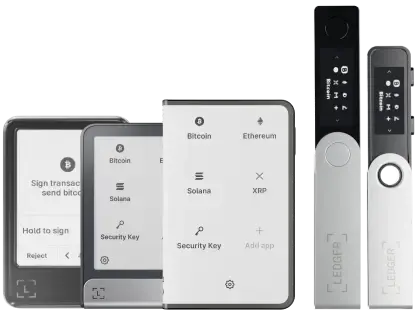
| Important to note: For the full details on how to get started with your Ledger signer (including Ledger Nano X, Ledger Nano S Plus, Ledger Nano S, Ledger Nano™ Gen5, Ledger Stax™ & Ledger Flex™ ), check out this Help Center article. |
As you might know, Ledger signers are open platforms leveraging the security of Secure Elements. Ledger Operating System (OS) loads applications that use cryptographic APIs. The OS also offers isolation and key derivation mechanisms.
This technology provides a high level of security even against an attacker who has physical access to your devices, making your Ledger devices the perfect tools to manage your digital assets securely. But they are also very well suited to secure your login credentials to many online services.
This is why we have developed a new application called Security Key, that implements WebAuthn standard for Second Factor Authentication (2FA) and Multiple Factor Authentication (MFA).
Due to OS constraints, this Security Key App has some limitations:
- The Discoverable credentials (Resident Keys) support is currently disabled in the application.
We have been working on a full-fledged infrastructure solution to back up and restore resident keys seamlessly and reliably in order to ensure an optimal user experience.
What is WebAuthn?
Web Authentication or WebAuthn for short is a standard written by the W3C and the FIDO Alliance. It specifies a users authentication mechanism based on public keys cryptography instead of passwords.
The motivation for building such a standard was that our current online existence is built on passwords and that most security breaches are related to stolen or weak passwords.
Leveraging public key cryptography security mechanism
Public key cryptography, also known as asymmetric cryptography, is a cryptographic mechanism based on having two associated keys:
- A private key that should be kept secret
- A public key, that can be shared
Theses keys share the following property:
- The public key can be used to verify if a message has been signed by the private key.
Let’s consider a user, Bob, creates a key pair and shares the public key with Alice. If Bob sends a message to Alice, he can sign the message using his private key and Alice can verify using the public key that the message has indeed been signed by Bob, who is the only one knowing what the private key is.
Regarding authentication, this means that a user can create a key pair and share the public key with an online service. Later, the user can authenticate themselves by proving to the online service that they know the private key. All of this without having to send the private key to the online service! This means that the private key can not be stolen on server databases nor intercepted during user to server communications.
Phishing attack resilient
The WebAuthn standard also has the property to be resilient against classical phishing attacks.
Basically, a phishing attack is an attack where a hacker tricks you into revealing sensitive information, in our case, login credentials.
Contrary to other MFA mechanisms like OTP, WebAuthn mechanism is resilient to such attacks. Indeed, each key pair is bound to a specific origin, or web domain, which means that an attack trying to trick you into using a WebAuthn credential in a different domain (e.g. a fake site with url best-service.com instead of legitimate site url best.service.com) will fail as the authentication device will not have a corresponding key pair for that domain. Therefore, the attack will fail and the opponent will not get any useful information.
Strong hardware security
WebAuthn recommends using hardware security elements to safely store the private keys. Regarding the Ledger Security Key application, private keys are stored within the device Secure Element (SE) which have passed a Common Criteria security evaluation – an international standard for banking cards and state requirements – and have obtained an EAL5+ certificate. You can find more information about Ledger device certifications here.
Attested registrations
WebAuthn authentication is attested, this means that the server can verify that the authentication device is legit. This can be enabled on some services to authorize only a short list of authentication devices or to detect fraudulent sources.
How WebAuthn works
First let’s specify which are the different actors:
- The User, that is you, trying to register safely on an online service.
- The Relying Party, which refers to a server providing access to a secure software application using WebAuthn. For example Google, Facebook, Twitter.
- The User Agent, which refers to any software, acting on behalf of a user, that “retrieves, renders and facilitates end-user interaction with Web content”. For example your favorite web browser on your favorite Operating System.
- The Authentificator, which refers to a means used to confirm a user identity. In this case, this is your Ledger Nano device running the Security Key application.
There are two major WebAuthn operations, that can be resumed as:
- Registration during which:
- the Authenticator receives a request, through the User Agent, from the Relying Party, containing the Relying Party origin or web domain along with a user identifier and optionally the user name.
- the Authenticator requests the User consent, creates a unique key pair, and then responds to the Relying Party with the public key.
- Authentication during which:
- the Authenticator receives, through the User Agent, a request from the Relying Party, containing the Relying Party origin or web domain along with a challenge.
- the Authenticator requests the User consent and then responds with a message containing a signature created with the registered credential associated private key.
You can find more detailed explanation of the mechanism behind WebAuthn here.
The difference with Ledger FIDO-U2F Nano App
Ledger FIDO-U2F application is implementing FIDO U2F, a previous version of FIDO2 which is included in the WebAuthn standard. This previous version was designed to be used as a second factor for passwords whereas WebAuthn allows a better user experience. Specifically, on authentication devices with a screen, the Relying Party origin (or service domain) can now be displayed instead of its hash.
Compatibility
WebAuthn standard and therefore Ledger Security Key application is supported on most of the OSes and web browsers.
The only current limitation we are aware of is that it does not work with Ubuntu 22.04/Firefox 145.
Using the Ledger Security Key application
WebAuthn services
WebAuthn has now reached a wide adoption. Therefore, the Ledger Security Key application can be used on many services for Multiple Factor Authentication. Here is a non-exhaustive list of such services:
Security Services:
- 1Password
- Bitwarden
- Okta
Developer Tools
- GitHub
- Bitbucket
- GitLab
Social
- Twitter/X
Exchanges
- Binance
- Coinbase
- Kraken
- OKX
Web Tools & Services
- Apple account
- Gandi
- Google/ Gmail/ Gemini
- Shopify
- Proton
Important to note:
Ledger Security Key does not yet support resident keys, but may be updated in future.
Step by step example
- Download Ledger Wallet and select the Security Key application in the “My Ledger” section to install it on your device
- Set the appropriate settings on the desired service
- Use your security key to Log In !
Thanks to combining the security of your third party service and our Security Key application, you have now enabled a state-of-the-art security for your accounts
Securing your SSH keys
SSH keys are used by developers in some critical situations, from authenticating to a GIT server, up to connecting to critical production servers. Ledger signers already had a way to secure your SSH keys using Ledger SSH Nano Application. However, this required the usage of a dedicated Nano Application and an agent on your computer. This is no longer the case. OpenSSH 8.2 introduced a new feature allowing “native” usage of FIDO authentication devices for SSH key storage.
Example of usage
Let see how it can be used to interact with a GitHub repository:
1. Create a pair:
$ssh-keygen -t ed25519-sk -f ~/.ssh/id_mykey_sk
Generating public/private ed25519-sk key pair.
You may need to touch your authenticator to authorize key generation.
Enter passphrase (empty for no passphrase):
Enter same passphrase again:
Your identification has been saved in /home/user/.ssh/id_mykey_sk
Your public key has been saved in /home/user/.ssh/id_mykey_sk.pub
The key fingerprint is:
SHA256:ZdHzzXRboYdbVXpLN12EKyDEYycNMDXRJV45ECYEBp8 user@LPFR0218
The key's randomart image is:
+[ED25519-SK 256]-+
|    ..=BO=*=o. +B|
|     o o*==+= +.B|
|      E. =+. *.XB|
|         o  . Bo*|
|        S    o . |
|                 |
|                 |
|                 |
|                 |
+----[SHA256]-----+2. Register the SSH key into your GitHub account (see the GitHub documentation)
3. Use it for example to clone a repository:
$git clone [email protected]:LedgerHQ/app-bitcoin-new.git
Cloning into 'app-bitcoin-new'...
Confirm user presence for key ED25519-SK SHA256:iGu/I9kjxypEHkQIGmgTLBCA8ftm4Udu1DfkK2BwE0o
remote: Enumerating objects: 5625, done.
remote: Counting objects: 100% (10/10), done.
remote: Compressing objects: 100% (10/10), done.
remote: Total 5625 (delta 1), reused 2 (delta 0), pack-reused 5615
Receiving objects: 100% (5625/5625), 2.11 MiB | 636.00 KiB/s, done.
Resolving deltas: 100% (4055/4055), done.
If you have multiple SSH key, you may follow this StackOverflow answer to select a specific key instead of the default one.
Parameters
When creating an SSH key pair using ssh-keygen and your security key, you can:
- Choose the key pair generation curve by specifying either
-t ed25519-skor-t ecdsa-sk - Allow SSH private key usage without manual acceptance on the security key by specifying
-O no-touch-required. However, some services can refuse such authentication, this is the case for GitHub.
There is an additional resident option, but it does not add additional security and its usage is more complex.
Xavier Chapron
Firmware Engineer