
What Is Clear Signing?

| KEY TAKEAWAYS: |
| — Many crypto wallets fail to translate the details of complex transactions into human-readable language, leading to an issue known as blind signing. — Blind signing has been a notable obstacle in the digital asset ecosystem, exploited by scammers to siphon off billions of dollars from unsuspecting customers. — Ledger’s solution to this is Clear Signing, a way to make previously uninterpretable smart contract data human-readable, ensuring that “what you see is what you sign”. |
When it comes to staying secure in crypto, there’s one simple ethos to follow: don’t trust, verify. Ledger signers have long stood out as the most popular hardware solution for a decade, featuring a secure screen driven directly by the Secure Element that stores private keys offline and allows users to verify transactions physically.
That being said, the landscape of digital assets has evolved significantly since Ledger’s inception. With the emergence of new use cases like DeFi and NFTs, transactions have evolved in scope and complexity.
Unfortunately, most wallet interfaces aren’t capable of providing users with human-readable transaction information. This leads most users to sign transactions without understanding their full details, something known as blind signing. This is a serious vulnerability that scammers have exploited to siphon billions of dollars from unsuspecting users, hiding malicious contracts behind the veil of transaction complexity.
The only way to combat this threat is to implement Clear Signing standards across the industry—something that is much more challenging than it sounds. But before we dive into the details of how Ledger plans to solve it, let’s attack the basics. Let’s start by explaining what Clear Signing is.
What Is Clear Signing?
Clear Signing is the answer to the problem of unreadable transaction information – blind signing. To achieve it, you need two things.
- Clear transaction intent. The intent should show what kind of approval you’re being asked to sign and which dApp is seeking approval.
- Human-readable transaction fields. Transaction fields should indicate in a language you understand the intended recipient (the Contract) and which of your assets you are sending.
Meeting both of these conditions finally makes it possible for users to get a clear indication of which approvals they are granting, allowing them to make much better-informed decisions on whether or not a transaction is trustworthy.
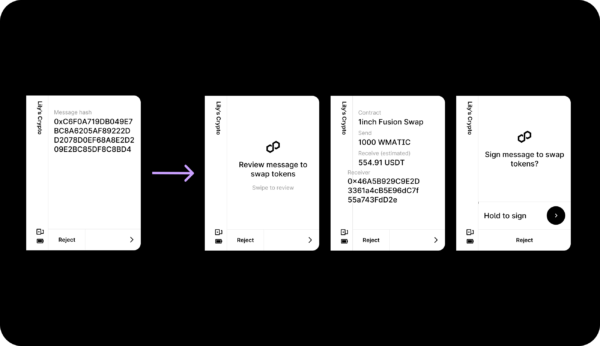
Instead of signing a transaction that merely shows you a string of characters, also known as a hash, a clear signed transaction will let you review all of the details before you sign.
What is Clear Signing For?
Clear Signing is important for one specific reason: helping you avoid signing malicious transactions. Asking someone to “blind sign” a transaction is like asking them to sign a blank check—it’s an enormous risk.
Many prevalent scams rely on this. Scammers trick you into signing what looks like a simple transaction, but it actually contains malicious code to drain your wallet. Software wallets, which live on insecure devices that are always connected to the internet, are vulnerable here.
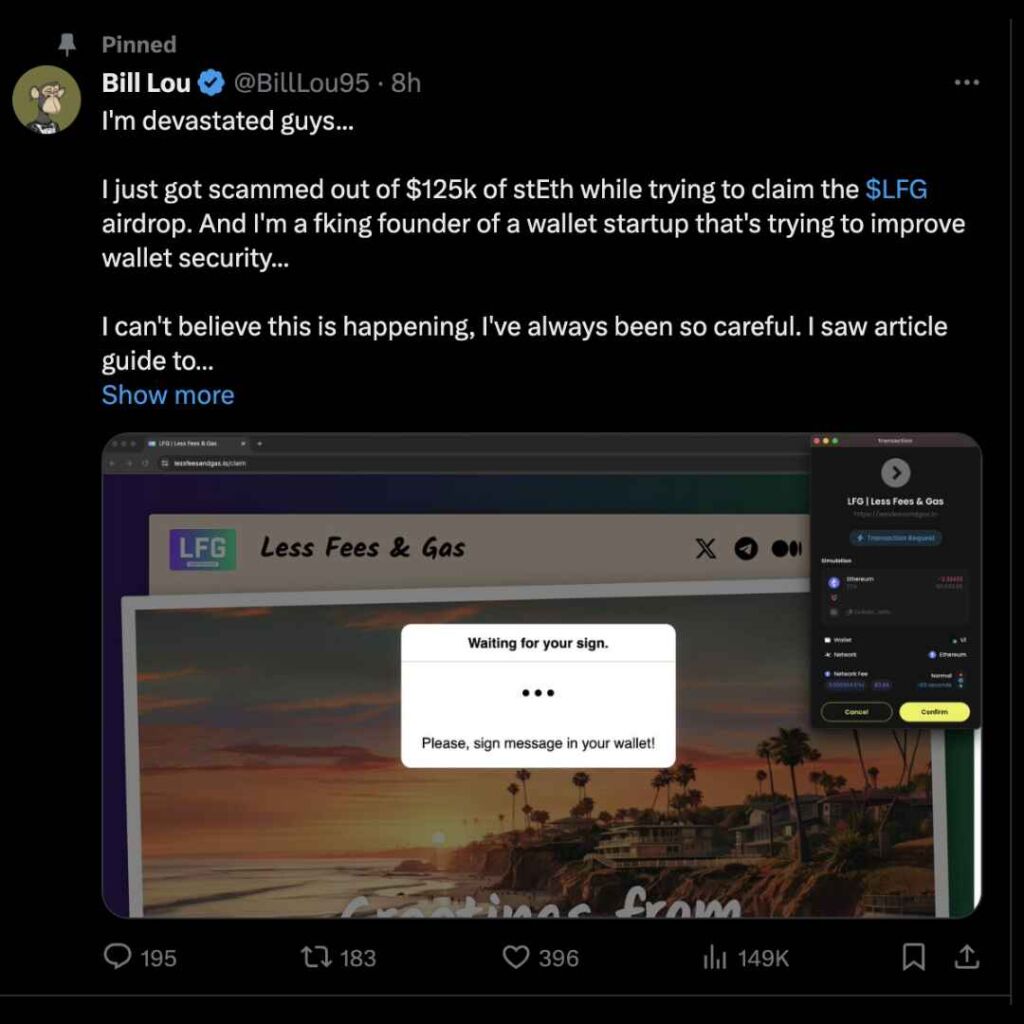
The displays on these devices can be altered by malware through “Man-in-the-Middle” attacks, meaning you can never be 100% sure that what you see on your computer or phone screen is what you are actually signing. The same is true of hardware wallets that don’t have secure screens.
This is why a Ledger signer is different. Its Secure Screen is offline and driven by the Secure Element, making it immune to this kind of tampering. Clear Signing uses this trusted screen to show you the real details of the transaction, ensuring “What You See Is What You Sign.”
Clear Signing in Practice
Ledger Wallet: The Most Secure Way To Transact
The most secure and seamless Clear Signing experience is within Ledger Wallet. Clear Signing is standard for all native flows within Ledger Wallet, including core actions like sending, swapping crypto, and using “Earn” services like staking.
This security also extends to the dApps available in the “Discover” section of Ledger Wallet. These apps are integrated directly, ensuring that their smart contract interactions are translated into human-readable details on your signer’s Secure Screen.
Clear Signing Outside of Ledger Wallet: A Shared Responsibility
When you step outside the integrated Ledger Wallet ecosystem to interact with the thousands of dApps that exist, Clear Signing becomes a shared responsibility. That is to say, outside of Ledger Wallet, your ability to Clear Sign depends on the dApp’s developer.
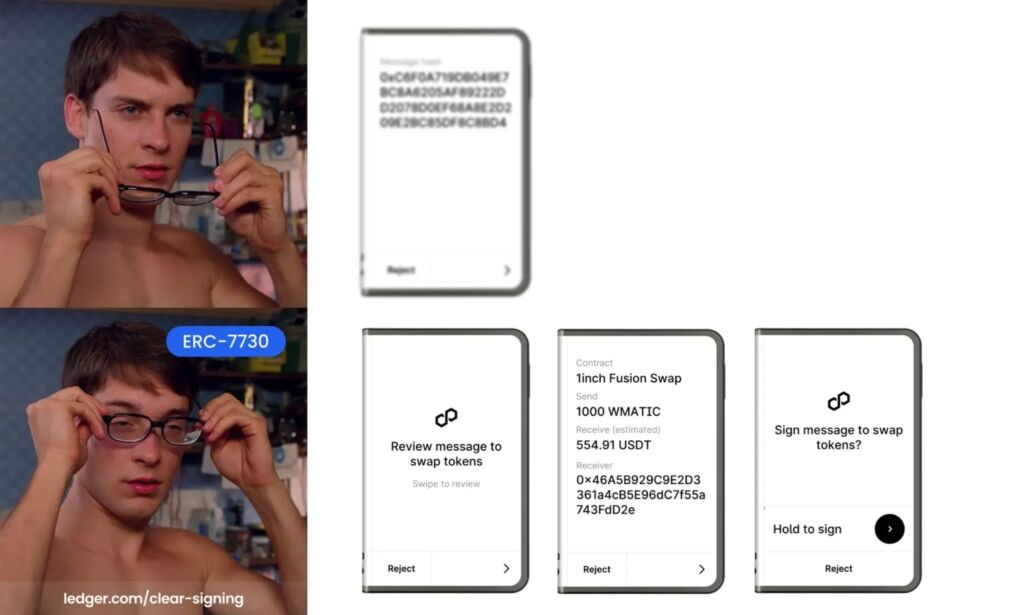
To solve this problem, Ledger has been laser-focused on evolving and improving Clear Signing, from early plugins to launching the Clear Signing Initiative in 2024 to drive adoption across the crypto ecosystem. As part of this initiative, Ledger worked with other leaders to create the open standard, ERC-7730, which translates complex transaction data using a simple JSON format.
Then in 2025, Ledger released the Generic Parser, a plugin that reads and parses the ERC-7730 metadata submitted by dApps. This new approach eliminates the need for dApp-specific custom plugins, which were a significant barrier to adoption. Now, any dApp that provides the ERC-7730 metadata can have its transactions automatically Clear Signed—a major step in making the ecosystem safer for everyone.
Bringing Clear Signing and Transaction Check to the Ecosystem with Direct dApp Connectivity
To make this process even more secure, Ledger has also introduced direct dApp connectivity. This new feature removes the need for software wallet extensions and other intermediaries, mitigating major security risks like phishing and blind signing. It allows you to connect your Ledger signer directly to a partner dApp with a single click, which extends the full security of Clear Signing and Transaction Check to your dApp interactions.
When You See a Transaction Hash: Blind Signing vs. Advanced Verification
You will generally encounter a transaction hash on your device in two different scenarios. One is high-risk (blind signing), and the other is an optional verification step for advanced users.
Blind Signing
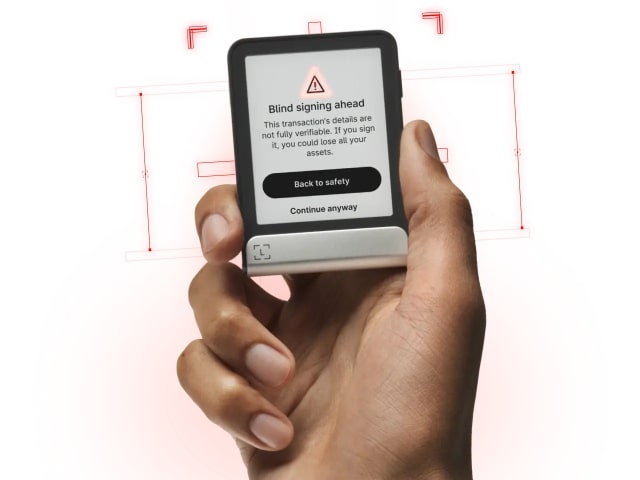
Occasionally, you may interact with a new or complex smart contract that the app cannot fully interpret. In these cases, the device cannot display the transaction details in a clear, human-readable format. Instead, it will show a blind signing warning and display only the raw hash.
For security reasons, blind signing is disabled by default. If you absolutely must proceed, you have to manually enable this setting. You can do this by opening the specific coin app (e.g., Ethereum) on your signer, navigating to Settings, and manually enabling “Blind Signing”. You will be shown a warning. By enabling this, you are acknowledging the risk of completing the transaction.
A Safety Checklist for Blind Signing
Remember, signing a transaction you cannot read is like signing a blank check. If you absolutely must proceed with blind signing, there are some safety tips you can follow to ensure that your funds stay secure:
- Check the URL: Make 100% sure that you are on the legitimate site of the application you want to interact with. Scammers often create fake sites that look identical to deploy blind signing scams.
- Only interact with reputable dApps: Is this a well-known, reputable platform, or something new and unknown? A dApp without a history of user interactions poses much higher risk than a frequently used, secure platform.
- Avoid links sent via Social Media DMs: Always be skeptical of links sent in a private message on a social platform like Discord or X, especially from a stranger. This is a common way that people fall prey to phishing scams.
Segregate Your Assets: This is one of the most effective ways you can minimize your risk. Never interact with smart contracts using the same wallet that holds your valuable, long-term assets. Instead, dedicate a separate burner wallet (a different account or signer) for dApp interactions. Move only the funds you need for a specific transaction into that wallet, and keep the rest of your collection safe in a separate wallet account. That way, your valuable assets remain secure even if you make a mistake on your burner wallet.
Advanced Verification
While Clear Signing is sufficient for most users, some advanced users may want an additional layer of verification. For example, users interacting with complex protocols may wanto verify the hash on their Ledger signer using third-party tools, as an additional, rigorous verification step.
By default, the Ethereum app does not display the transaction hash for clear-signed transactions to maintain a simple experience. However, with the app’s Transaction Hash setting, you can choose to always display the hash, providing advanced verification for all transactions.
The Future of Clear Signing
Ledger has been at the forefront of digital asset security for a decade. Our comprehensive approach integrates hardware, software, a proprietary secure operating system, and secure screens in a user-friendly package. This empowers Ledger users to generate and safeguard private keys offline, ensuring peace of mind in an increasingly digital world.While blind signing is a serious threat, our community can take significant steps to prevent it. With Clear Signing native in Ledger Wallet, and direct Dapp connectivity bringing Clear Signing and Transaction Check to third-party apps, the crypto ecosystem can move closer to becoming a safer and more secure environment.
Check out our article on Ledger’s secure touchscreens here, and, if you’re ready to take the next step towards secure digital ownership, explore the full range to see which one is right for you.
