
How to Migrate Your Crypto to a New Device?
Upgrading from your current Ledger signer to the Ledger Stax or Ledger Flex? This guide walks you through everything you need to know to make the transition securely and smoothly.
For starters, you need to know that your digital assets live on the blockchain, not inside your Ledger signer. What your Ledger holds is access, that is, your private keys, which are derived from your Secret Recovery Phrase.
So, when migrating, you’re either:
- Restoring your existing keys on your new Ledger Flex using your 24-word phrase, or,
- Transferring assets to a new wallet generated on your new signer if you only have the PIN.
When you restore your keys using your 24-word recovery phrase on a new Ledger signer, it means you’re importing the same private keys that control your crypto. Since your assets live on the blockchain, not in the signer itself, restoring those keys gives the new signer access to the same wallets and same funds.
So, once restored, your crypto will appear on the new signer just like it did on the old one; no transfers needed.
Before You Start
- Make sure you have the updated version of Ledger Wallet installed on your mobile or laptop signer.
Setting Up Your Ledger Signer
- Open the Ledger Wallet app.
- Connect your new Ledger signer via Bluetooth.
- Power on your Ledger signer by holding the power button.
- In Ledger Wallet, select your Ledger signer and pair it by confirming the matching code on both your phone and the signer.

- Once paired, the signer will go through a Genuine Check and automatically update to the latest OS. Tap on Check Ledger and Allow on your signer to confirm it’s genuine.

- You can then set a custom name for your signer and tap Set Name.
- Create a PIN code (4 to 8 digits) to lock/unlock your Ledger.

Option 1: Migrate Using Your Secret Recovery Phrase
If you already have your secret recovery phrase, you must select “Restore” on the next screen after setting up your PIN Code.

Step 1: Restore with Secret Recovery Phrase
- In Ledger Wallet, tap Continue, then select “Restore from Recovery Phrase”, when prompted

- Choose the correct phrase length (usually 24 words). This is the seed phrase from your older signer that you will be inputting on to your new Ledger signer.
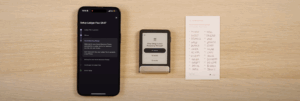
- Carefully enter each word in the correct order.
- Once confirmed, your wallet will be restored and your funds should reflect on the “Portfolio” section of Ledger Wallet.
Note: Never share or take digital photos of your Secret Recovery Phrase. Keep it safe and offline using the recovery sheet provided. You can then proceed to backup your seed phrase with either Ledger Recover, or the latest Ledger Recovery Key.
-
Optional: Backup with Ledger Recover
Ledger offers an optional subscription service called Ledger Recover, which creates a secure, digital backup of your recovery phrase. If you prefer to stick with paper, simply tap No, I’m good with paper to continue.
-
Optional: Backup with Ledger Recovery Key
The Ledger Recovery Key is a PIN-protected smart card that simplifies backing up your 24-word Secret Recovery Phrase that comes with Ledger’s latest touchscreen line of signers.
During setup, you will be prompted to tap it to your Ledger for secure authentication. You can then set a separate PIN, and your encrypted phrase is stored offline on its Secure Element chip.
In the event that you lose your signer or mishandle your seed phrase, and want to migrate to a new signer, this Key allows easy wallet restoration on new signer by simply tapping it and entering your PIN, reducing phishing risks and the need for manual 24-word entry.
Step 3: Installing Blockchain Apps
- Tap Install Apps in Ledger Wallet.
- Select the blockchains you want (e.g., Bitcoin, Ethereum).
- This allows your Ledger signer to sign transactions for your chosen crypto.
Your Ledger Flex is now fully set up and ready to use!
Option 2: Migrate Without Your Secret Recovery Phrase (Using Only PIN)
If you no longer have your Secret Recovery Phrase but still have access to your existing Ledger signer via PIN, you will need to set up your Ledger as a new signer and send funds to it manually. Follow these steps:
Step 1: Set Up Ledger Flex as a New Device
- In Ledger Wallet, choose Set up as new Ledger.

- Follow the prompts to generate a new 24-word Secret Recovery Phrase.

- Write down your new phrase on the recovery sheet(s). It is recommended to double-check and confirm each word for added security.
Step 2: Transfer Assets from Your Old Ledger Device
- Reconnect your existing Ledger signer.
- In Ledger Wallet, create new accounts on your new Ledger Flex for each crypto asset you hold.
- Use your old signer to send assets to the new addresses.
- Always verify the recipient address on your signer screen before confirming any transaction.
Once the transfers are complete, your Ledger Flex will hold full custody of your crypto, secured with a new recovery phrase and PIN.
Quick Reference:
The Shift: From Hardware Wallet to signer
Crypto may have begun as a bold experiment, but adoption has grown as the technology and user experience have rapidly evolved; the language used to describe it, has however, stayed stuck in its infancy.
We called our devices “hardware wallets,” mislabelling the role of secure hardware, and obfuscating the role of software (Ledger Wallet). Along the way, users were left behind.
People believed:
- That value was stored on the device (it isn’t).
- That if you lose the device, you lose your assets (you don’t).
- That the device itself was the endgame (it’s not).
- That those 24 words were a burden only tech-savvy users could manage (not true anymore).
These are more than misconceptions. They are adoption blockers. So at Ledger, we believe that clarity is essential for the next stage of adoption
We’re changing how we speak about our products. And by doing so, we’re changing how people understand digital ownership itself.
Hardware wallets → signers
Ledger devices don’t store value. They sign transactions. They prove intent. They verify identity. They’re not vaults, they’re the secure bridge between who you are and what you do online. They don’t just hold keys. They empower you to trust yourself.
We call them signers now, because that’s what they truly are.
In a world where AI grows more powerful every day, proof of humanity matters more than ever. A signer is more than a security device, it’s your cryptographic proof of you. It gives you a secure foundation to own, authorize, and protect your digital life without relying on anyone else. From sending a transaction to signing a contract or verifying your credentials, your signer ensures you, and only, can provide digital consent – proof of you.
Together, signer and Ledger Wallet redefine what digital ownership looks like, clear, secure, and free from compromise.
